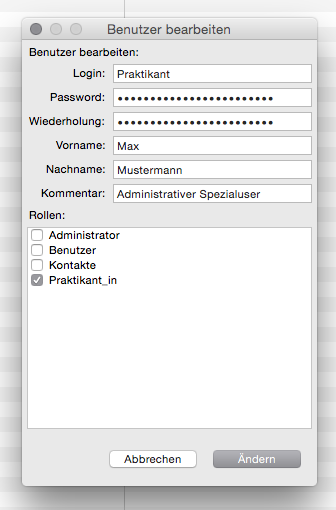
Only you can know your login credentials to ARTBUTLER PRO. However, a user with admin rights can create new passwords at any time and thus give you a new access / login.
- Open ARTBUTLER PRO and go to the area Management.
- Click on the tab Users and double-click the user whose password you want to change/reset.
- Enter the new password in the fields Password and Confirm Password and then click on Edit User.