Do you sometimes lose track because you have so many tabs open that you can no longer read their titles? Has everything got mixed up in the view of an area, the work list and the work records have been moved by mistake? With a simple trick you can reset the layout and restore order.
Closing all open tabs of an area at the same time
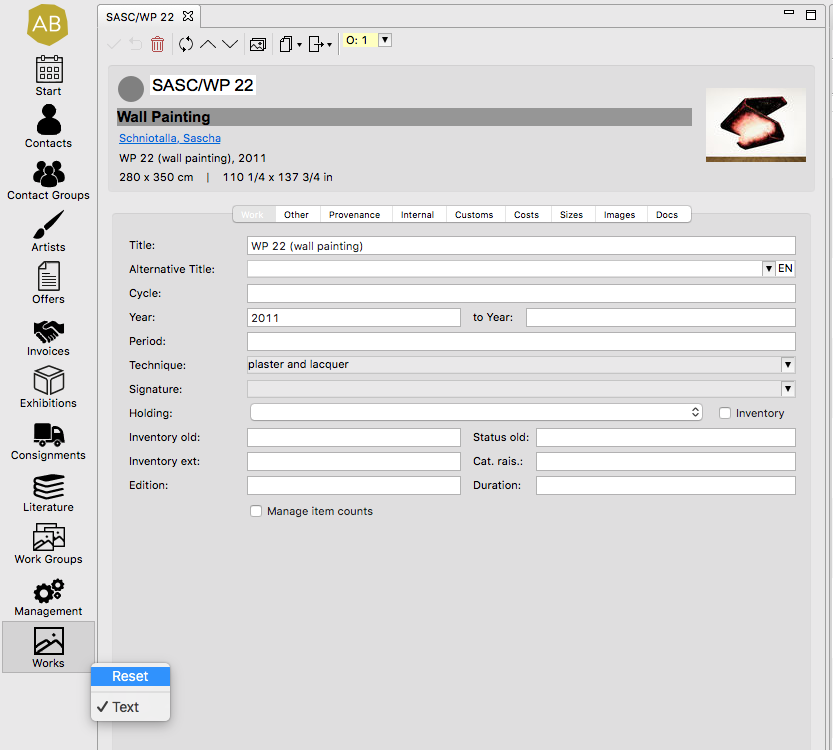
Click on the symbol of the area in question on the far left and select Reset with a right click – all tabs are closed and newly opened tabs are clearly displayed again.
If the layout does not look as usual, you can also restore the intended display of tabs and lists with this click.
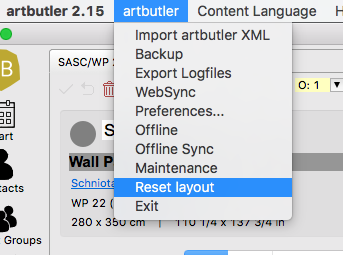
Closing the opened tabs in all areas and reseting the table column configuration to the beginning
It is also possible to reset all areas with one click. This not only closes all open tabs, but also sets the configuration of the table columns back to the beginning – to the state set after the installation of ARTBUTLER. Go to the menu artbutler and select Reset layout. A restart of ARTBUTLER is then required.