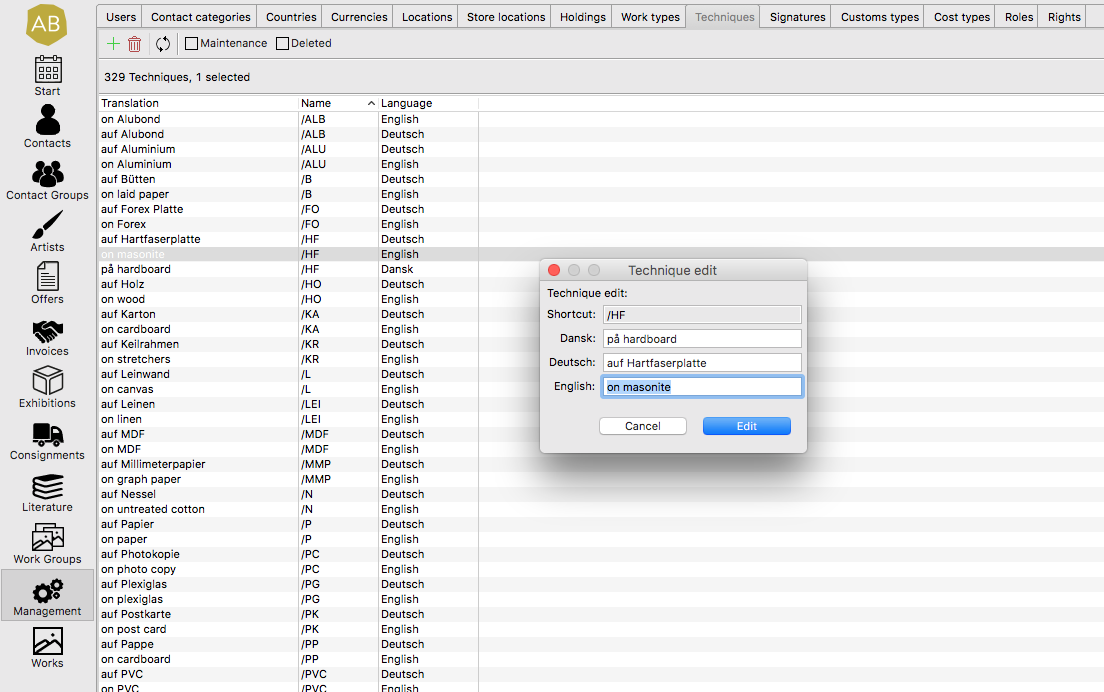
This article will explain how to set and edit the interface and content/export languages in ARTBUTLER.
Every ARTBUTLER user can select to use the software in english or in german.
On top of this, a lot of content can be maintained and exported in many different languages.
Unser Interface Language
Changing the Language ARTBUTLER is Used In
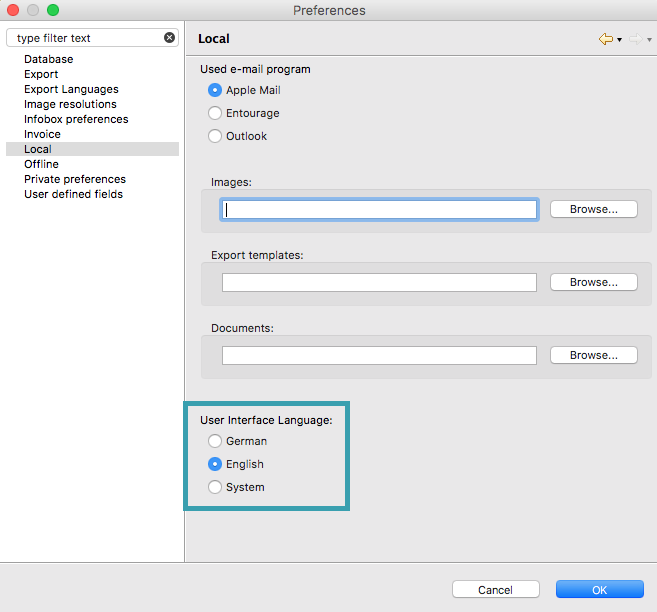
- Go to the ARTBUTLER menu and select Preferences .
- Go to the Local tab on the left hand side menu.
- At the bottom of the window on the right hand side under User Interface Language: you can select either German, English, or System.
More Details
- You will need to restart ARTBUTLER, once you have made the selection so the changes can occur.
- If system is chosen, ARTBUTLER can automatically select between German or English, depending on the user who is logged in to the computer and their settings.
Content/Export Language
Editing the Languages that Things Can Be Exported In
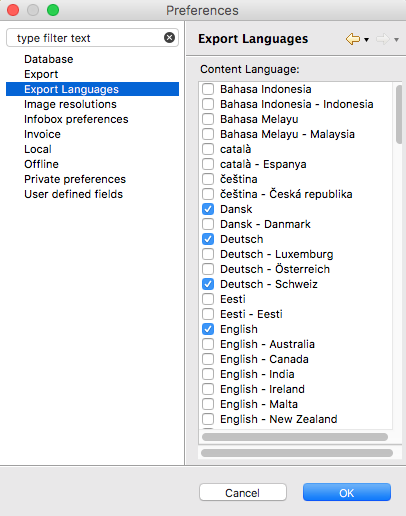
- Go tothe ARTBUTLER menu and select Preferences .
- Go to the Export Languages tab on the left hand side menu.
- Tick the boxes for any languages you would like to be able to export information in from the list on the right hand side window.
- Click Apply if you would like to continue working or OK if you are finished.
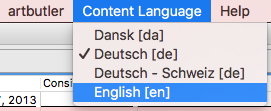
- Now if you go to the Content Language menu at the very top of the screen, you can see all selected languages and switch between them.
More Details
- Content for all languages ticked can be entered in the interface wherever a multilingual field is available. e.g: Within Description.
- You can change your language selection at any time.
- The export language will influence the format of dates and numbers in documents that are made in ARTBUTLER. So it might be useful for example, to use both English – UK and English – US language options to have access to both date formats.
- ARTBUTLER will show you the content in sections where there are multilingual options, in the language that has been chosen from your content language drop down menu. e.g: If you have selected German as your content language, the content from the field “Technique” for all works would show up in german. If you have not added the description in german, it would not show up at all.