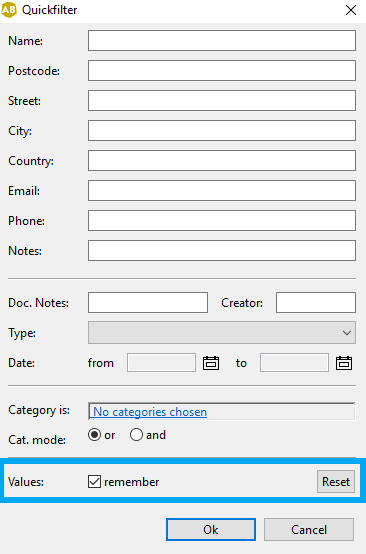
With our “Remember” feature you will find your contacts and works even faster as it allows you to save search criteria for your next search. This can be useful when searching for multiple categories among your contacts. You can add contacts to your contact group and cancel your search results between searches.
How to use the “Remember” Feature
- Open the quickfilter in contacts or works.- You can also open the quickfilter using they key combination “CTRL” + “F”.
- Enter the search criteria for your search, e.g. different categories
- Check the box Remember
- The next time you open the quickfilter, your search criteria will show up (until you uncheck Remember)