
You can use an existing work list in one section, e.g. a consignment, to easily create a new record with the same works in another section of ARTBUTLER, e.g. an exhibition. Lists of work are available in the sections offers, exhibitions, work groups, invoices and of course with any selection in the general work list.
Create a new record out of the works of another record.
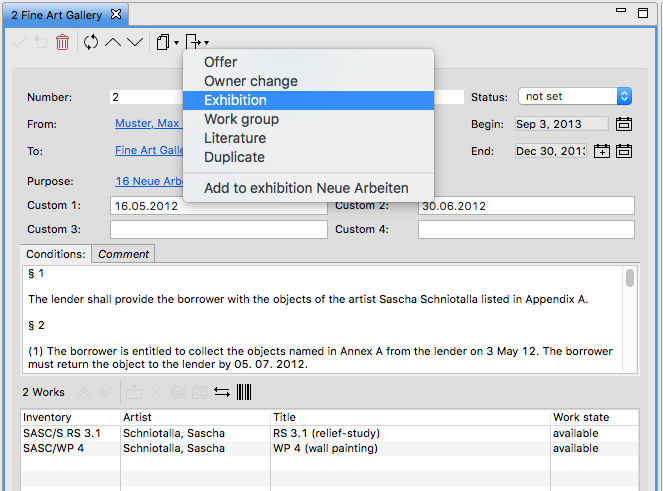
Example: Create an exhibition out of a consignment
If you want to create a related exhibition in a museum from the already existing consignment: with the Create from consignment > Exhibition button you can add all works from the consignment directly to a the newly created exhibition. Thus you can take care of the provenance of your works and later on also search for particular exhibitions.
Use a work selection in the work list to create a new record or extend an existing record
Example: Create a work group from a work selection in the work list
Any selection in the work list, e.g. a search result in the work list that shows all works with a specific storage location, can be used to create new work groups, exhibitions and so on directly from the list with the Create from works … command. Create a new record with these works or just add them to one of the open records that are shown at the bottom of the menu (if available).
