

Adding a Country
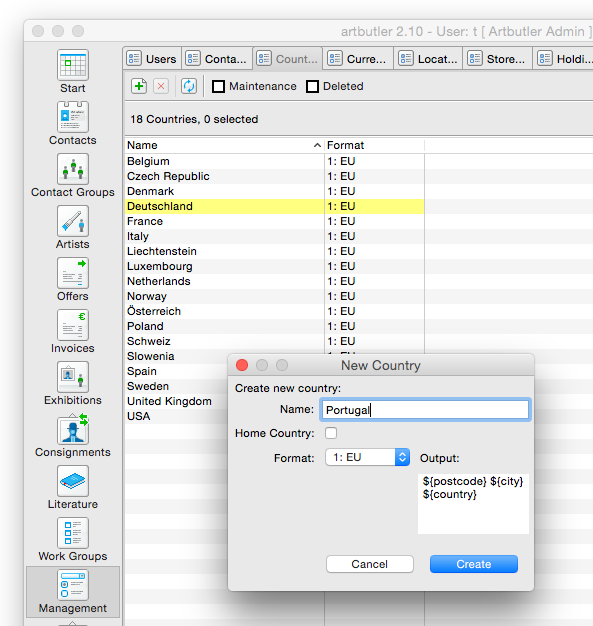
- Go to the Management section in the left hand side navigation menu.
- Select the Country tab at the top and a list of the available countries will appear.
- Select the New button and a pop-up window will appear.
- Add the name of the country and tick the box if it is your home country. This is done so that the country name won’t appear on postal addresses within the selected country.
- Choose the format the address needs to appear in for the particular country:
- EU: The postcode appears before the name of the city on the same line and the country is below
- UK: The city appears before the postcode, before the country and each are on separate lines
- US: The city appears before the postcode on the same line and the country is below
- Once selected, click Create . The Country will now appear in the list and can be added under your contacts.