

When you add a work to an offer or an invoice, the price of the work as registered in the work record is automatically copied to the invoice. Needless to say that you can still adjust these prices afterwards.
Global Adjustment
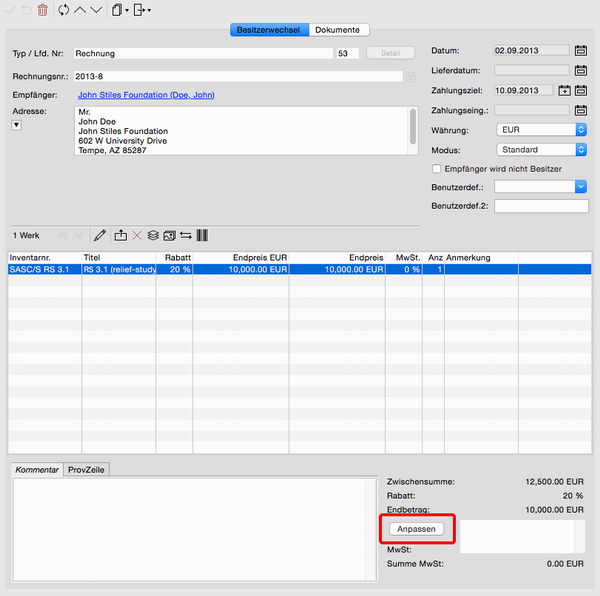
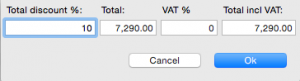
The fastest way to change the final sales prices for a complete invoice or offer is to set a global discount and the VAT with the button Change on the bottom right of the record. In the dialogue you may set a VAT rate and a global discount rate that is evenly distributed to all works. As an alternative you might enter the desired final price and the global discount will be calculated accordingly.
Change Prices Individually
To change the price of an individual work in an invoice or offer please double-click the work in the list, the price dialgue will open. Here you have several options, just change any value and the related fields will be updated automatically:
- on the left you can select the relevant initial price (list price, custom prices 1 and 2, purchase price or the achieved sales price in the case of an artist accounting) or set a manual price.
- in the middle section of the dialogue you may enter a discount and choose the appropriate calculation mode in regard of the costs.
- on the right side you will find the resulting sales price and the input field for the required VAT rate. You might enter the desired final price directly, the discount will be adjusted automatically.
