
With ARTBUTLER 2.11 and higher you are able to export emails in HTML format, which lets you send offers or work list in emails with the images embedded in the mail text.
- Download the templates and link them to the corresponding sections in ARTBUTLER (e.g. offers or works/workgroups) as Email exports.
- In the export options tick the checkbox “HTML”.
- The templates defines which images are used, so you don’t have to attach any images.
- Save the export configuration and click “apply” to start the export.
- The email will automatically open in the mail program that is set as default mailer on your computer.
- To edit the email and send it please use the following shortcuts :
Apple Mail: CMD + SHIFT + D Thunderbird: CMD + E resp. STRG + E Entourage: CMD + Option + J
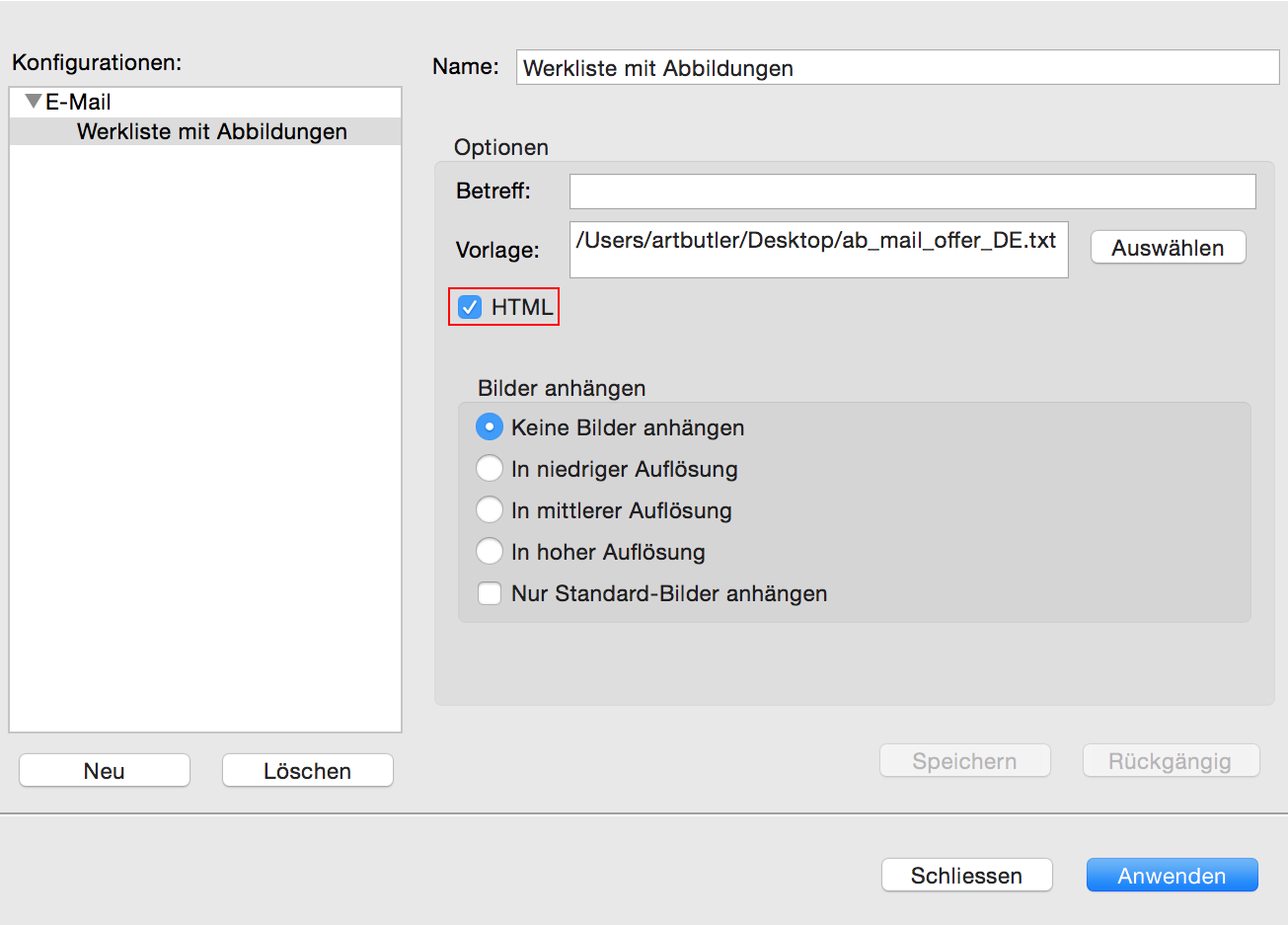
Configuration in ARTBUTLER
Export type: E-mail
Checkbox: HTML