
Overview
You may save three addresses per contact in ARTBUTLER, marking one as either postal and/or invoice address.
Adding addresses: business, private, or other
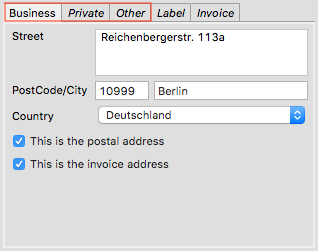 On the address tab you’ll find three tabs for addresses: business, private, and other address – your studio or storage location, for instance. Enter street name, postcode, city, and country. When exporting these addresses, ARTBUTLER will automatically complete salutation, registered names, and the info from the additional line field. Where business addresses are concerned, ARTBUTLER will add the company name too.
The check boxes postal address and invoice address allow you to mark any one of the three addresses as postal or invoice address. The invoice address will be used automatically in invoices and offers, the postal address will be printed in your correspondence and on address labels.
Manually assigning postal and invoice addresses
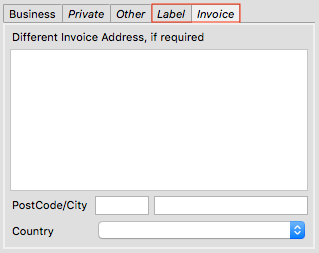 If these tabs won’t suffice to appropriately record an address, you may use two additional tabs: Label and Invoice.
Please only use these fields if addresses should show other persons or companies than previously recorded or if the automatic formatting of the export doesn’t lead to the desired result.
If you enter something on these two tabs, ARTBUTLER will disregard check boxes for postal or invoice addresses on the other address tabs. Instead, ARTBUTLER will use the text entered on these tabs as addresses. In either case, ARTBUTLER won’t add any further information from the contact record.
Export
To print addresses in the export there are a number of placeholders available: for letters, contracts, etc and on labels please use ${ExtendedLabelAddress} for the postal address and ${ExtendedInvoiceAddress} for the invoice address; both placeholders consider the info from the label and invoice tabs, if available.
In invoices and offers just print the (selected or manually entered) address with the ${Address} placeholder.