Usage
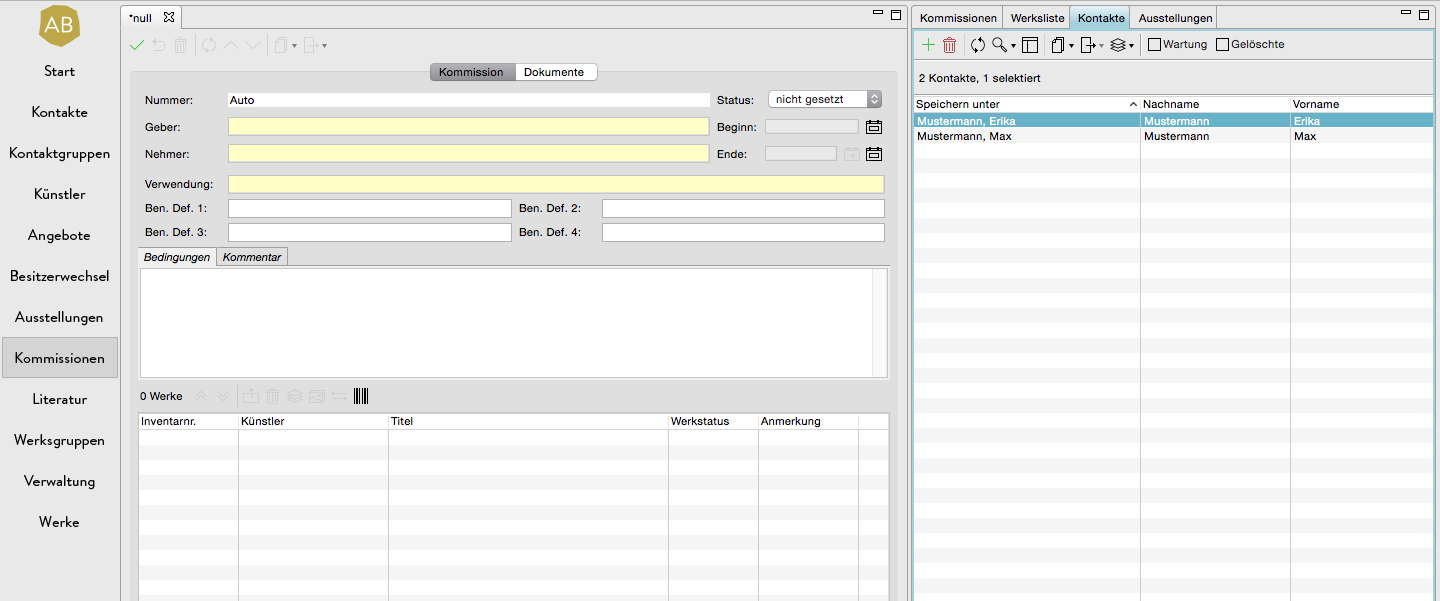
If, for example, you want to create a new offer, an exhibition, an invoice, a contact or work group, you can enter a name manually in the yellow fields, for example the field recipient. It is more practical, however, if you simply drag the respective contact from the list of all contacts on the right into the yellow field with the mouse. This not only accelerates your work, it also ensures that the correct address is linked in the respective data record and that the data record is also saved at the respective contact. More information can be found in our article Linking contacts on a data record.
This application is of course valid for all areas whose data records have yellow fields: Offers, commissions, invoices, exhibitions, artists, contact groups and work groups.
Advantages for the use of export templates
This link is also advantageous for document exports, since information (telephone numbers, addresses, etc.) of the respective contact can be exported from ARTBUTLER.