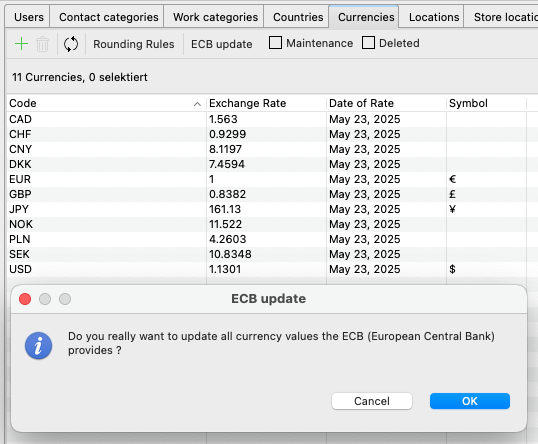
The ECB update function allows you to quickly and easily update the exchange rates used in Artbutler PRO. Alternatively, you can also adjust individual exchange rates manually.
The Management > Currencies tab provides an overview of the currencies defined, including the last exchange rate date and the options for updating them.
Usage of exchange rates in Artbutler PRO
In Artbutler PRO, prices are automatically converted in works, invoices and quotations when you change the currency.
Currency-specific placeholders can be used in exports to output prices in defined currencies regardless of the content language.
This allows you to create invoices or quotations in English with prices in euros, for example. Or price lists in French with prices in dollars and euros.
The customisable rounding rules for prices are explained in this support article.
Start the automatic ECB update
If you have an internet connection, simply click on ECB update and the daily updated exchange rates from the European Central Bank (ECB) will be loaded automatically.
Please note that this only works for currencies with the correct international code.
Making manual adjustments
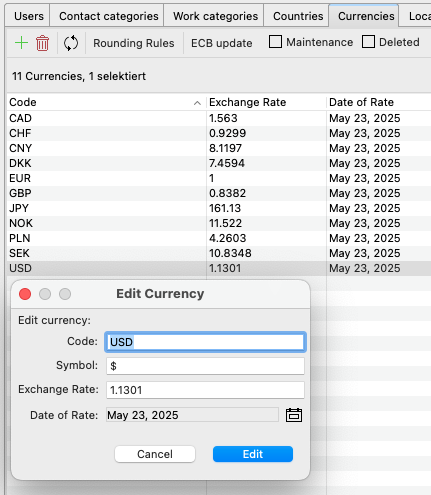
Double-click on the currency entry to adjust the code and symbol as well as the exchange rate itself.