

Entries deleted in ARTBUTLER will not be removed from the database, they continue to exist marked as deleted so that they no longer appear in ARTBUTLER. This ensures, for example, that the same inventory or invoice number cannot be issued twice. Additionally, deleted works will continue to show in all records they have been linked to, e.g. exhibitions, consignments, etc. so that these records stay correct.
If you have the required user rights, usually as administrator, you can access the “Maintenance” and “Show deleted” functions. You will find these options on top of the lists together with a few further options. You are thus able to view and select previously deleted works, and to completely remove them from the database if required.
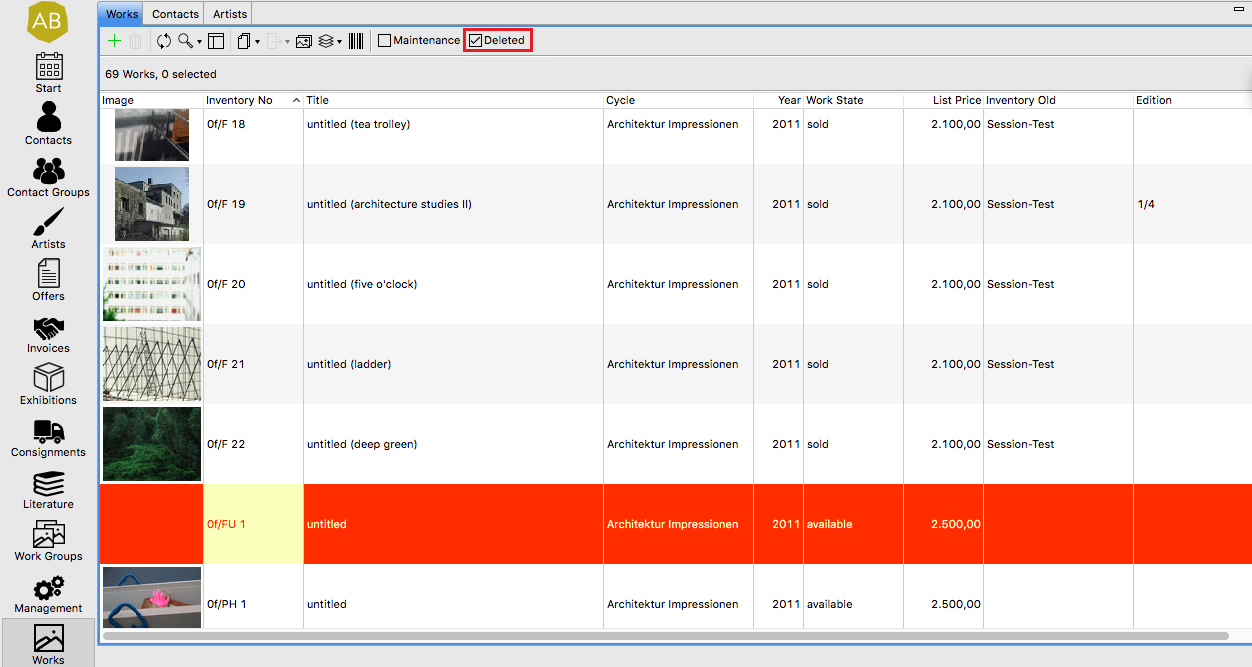
Check-box: Deleted
If you tick this check-box deleted items will appear in lists again, marked in red.
Check-box: Maintenance
Check this box for the maintenance mode; this will activate further options:

Remove deletion flag
You can reactivate a deleted item using the  button . Select one or more of the red marked entries and click on the “Remove deletion flag” symbol (green back arrow), and they will then appear again in the list.
Mark as deleted
Select the entry/entries you do not want to appear in the list anymore and click on the  symbol . This is the same operation as deleting in standard mode.
Completely delete: remove from database
By using the delete function  , the selected entries will irreversibly be removed from the database; this can’t be undone!