

Starting with ARTBUTLER version 2.9 you can make sure that exported documents are always stored in the right location and automatically add info like invoice numbers or exhibition titles to file names. Each export configuration may contain a destination folder as well as placeholders for filenames.
What’s an export configuration?
Each document you create with ARTBUTLER is based on a template and each template is linked to ARTBUTLER in a so called export configuration. See this article about exports for details.
With ARTBUTLER version 2.9 and above, you can add two more options to each export configuration:
Set Destination Folder
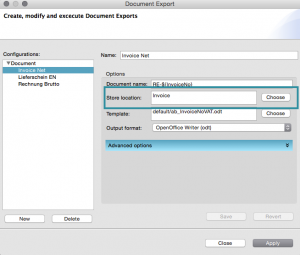
Each time you export a document with a certain configuration that contains a destination folder, the chosen destination folder (store location) is automatically
opened in your Save Document dialog. This way you can make sure that you always store invoices in your invoices folder, exhibition lists and price lists in your exhibitions lists etc. No need to browse and find the correct folder anymore.
Go to Export > Documents > Documents… and add the desired folder to a new or existing export configuration in the store location field.
File Names with Placeholders
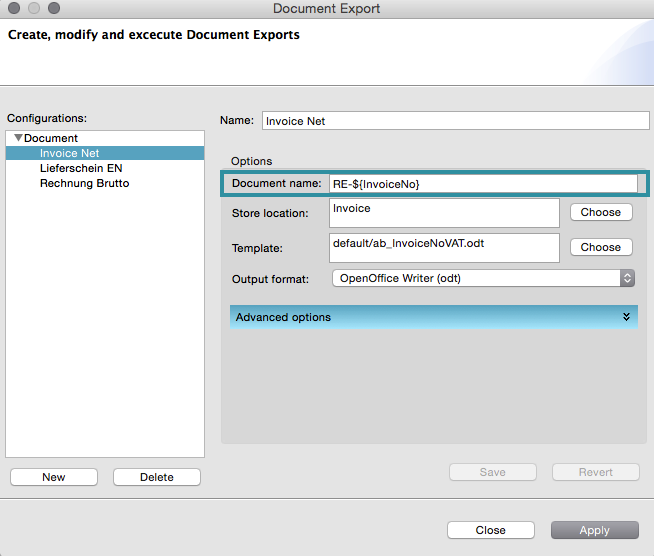 For each export configuration, you can predefine a standard file name. Go to Export > Documents > Documents… and add the desired file name to a new or existing export configuration in the Document Name field.
This name will be used for each document you create with this export configuration. Starting with version 2.9 of ARTBUTLER, you can not only use static text like “Invoice” and then name the file “Invoice 123.odt” by manually adding the invoice number to the file name in the Save dialog, but you can even use placeholders to do that automatically!