

You may display a contact’s invoices, offers, and other actions. You’ll also be able to view which works you offered or sold to whom directly with the contact. Find out how this works here.
Overview
ARTBUTLER displays all actions as data sets. With each contact you’ll gain an oversight of which actions have been linked to it. This overview can provide you with important information.
Contact Transactions
To gain an overview of how many invoices have been sent to a certain client, open the respective contact data set and then the tab Transactions .
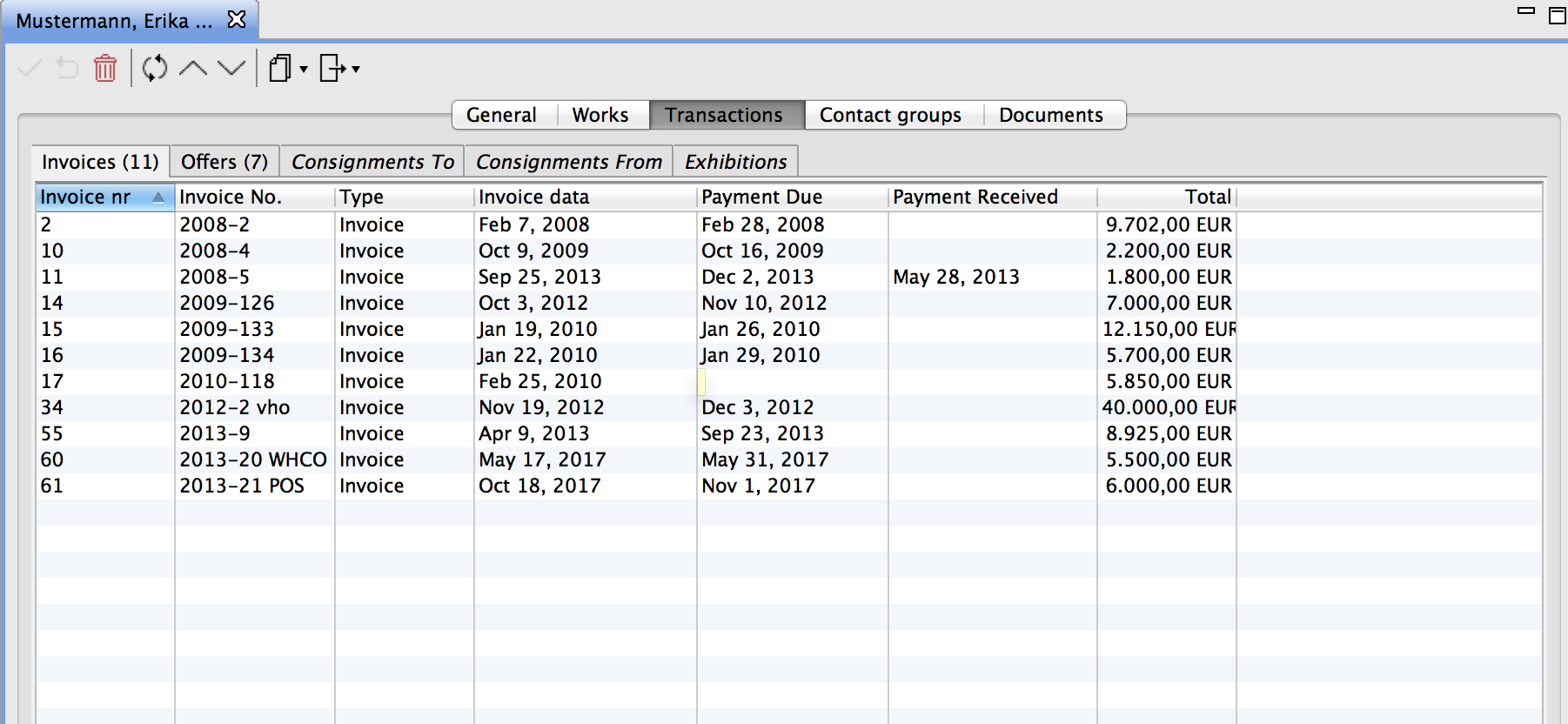
This information provides you with useful references, e.g. whether the client has paid within the stated period or what the invoice amounts were.
As you can see in the image, information provided with the contact will show you additional actions. The contact, Erika Mustermann, is linked 4 times with Change of Ownership, 1 time with Offer, and 1 time with Consignment Provider.
Works in Action
Who purchased what? Who was offered what? You may also see works linked to contacts by going to the contact and then to the tab Works .
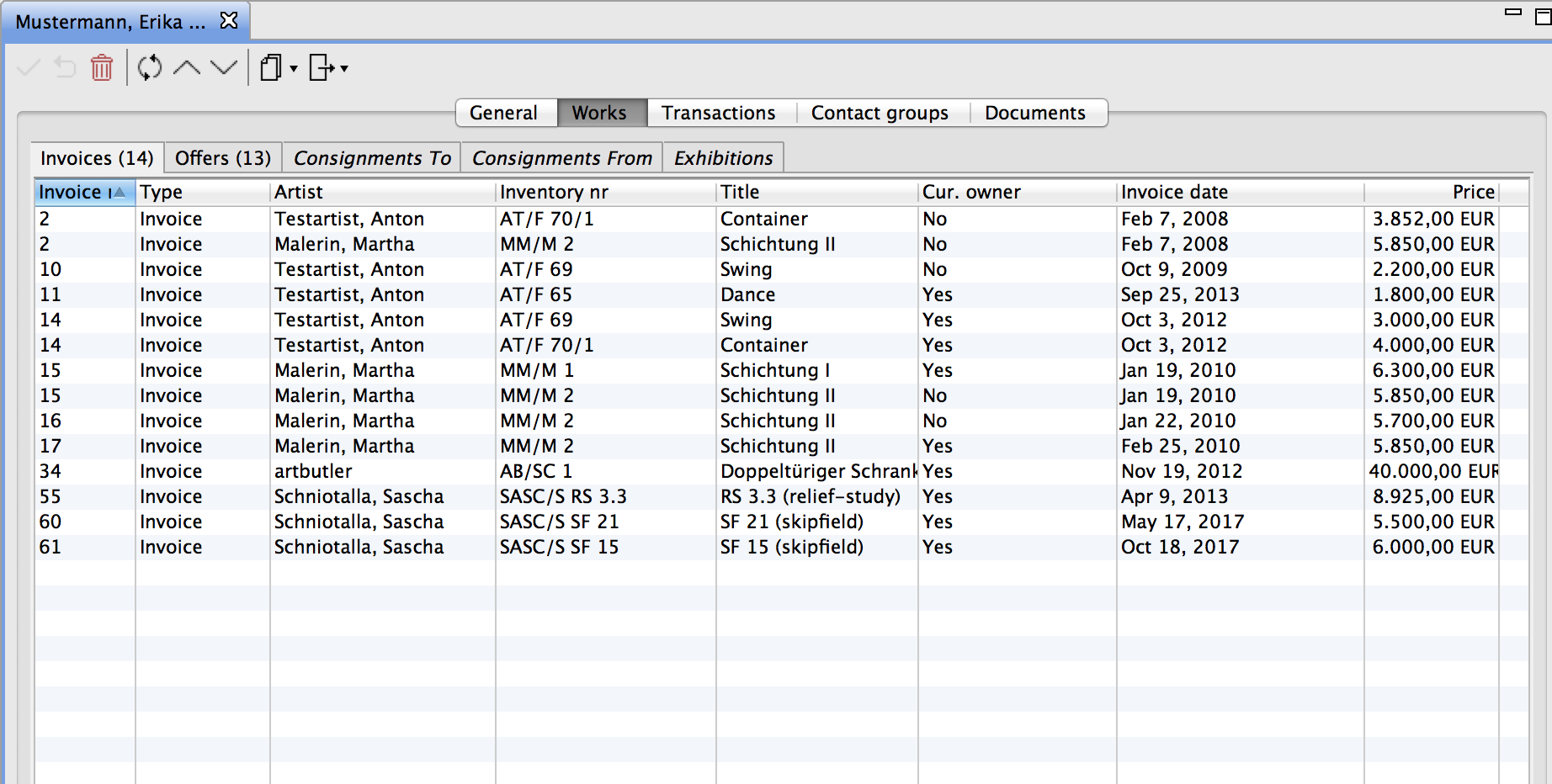
Here you’ll see all works listed automatically that were, for instance, included in a contact’s invoice mentioning Change of Ownership or were part of an exhibition of the respective contact, such as a museum contact.