ARTBUTLER helps you to always keep track of your works.
By entering current location, work-status, owner etc. you’ll always know if works are available for certain projects, even when working in big teams. This article will provide more information on how to continuously update your works in ARTBUTLER
Overview
You can find several descriptions in work entries such as title, price, or image, but you might also wish to know if a work is available for a specific project, or if it’s going to be presented at an art fair, has recently been offered to a client, or who the current owner is.
In this article you’ll find helpful applications to quickly access current information about your works.
Work Status
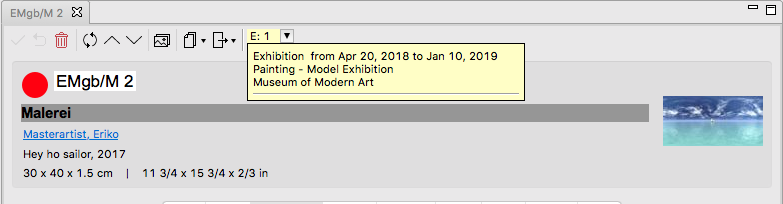
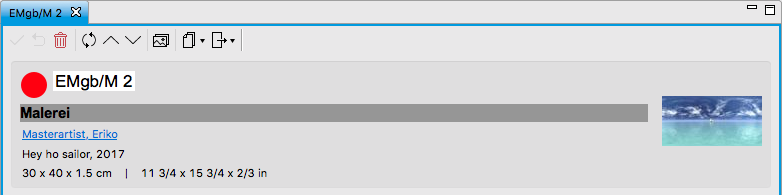
The work status indicates whether a work is available for sale or not. Left to the inventory number is a coloured circle indicating a work’s current status. Each status has its own color, red for example stands for “sold”.
You can find more information in the article on work status.
Holding
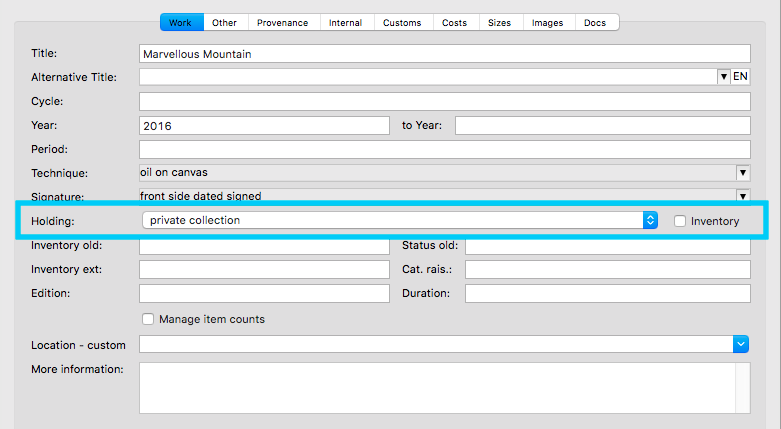
You can determine diverse holdings with ARTBUTLER, the gallery holding and the private holding by a gallerist, for example. In order to see which work is in which holding, check the work entry’s first tab.
You can find more information on this subject in the article holding management.
Storage Location and Location
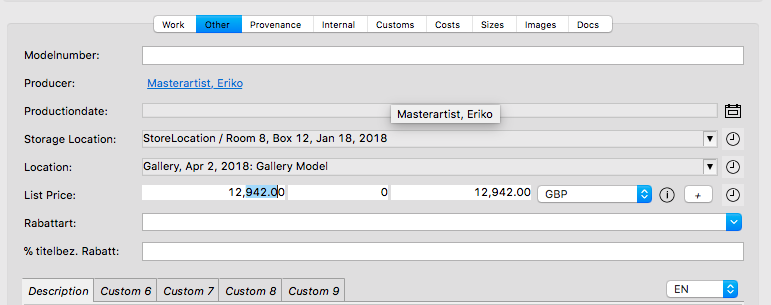
By indicating storage location and location, you can easily keep an overview of your works’ physical whereabouts. Here, you may see which works are actually at an art fair, in an exhibition, in another gallery, or in your storage space.
By entering Storage Location, you’ll always know where to store a work, and where to find it. The field Location provides you with information on a work’s whereabouts, whether it’s on loan for an exhibition, currently on show at an art fair, or on its way there.
You can find more information in the article on Storage Location and Location.
Provenance
In a work record’s Provenance tab you can track a work. Your entries in the field Owner Change allow ARTBUTLER to automatically update a work’s provenance. In the list you’ll find comprehensive records of all owner changes for this work.
You can find more information on this subject in the article Owner Change and Invoices.

Info Box
The info box is a yellow box at the top of each work entry. This box gives you the possibility to know right away if a work is currently in an ongoing consignment (c for consignment), exhibition (e for exhibition, e.g.), or if it has already been offered to another client (o for offer). If the work is not linked to any current record, no info box will appear.
You can find more information on this topic in the article Info Box.