Manage Location and Storage location to not lose track of your art works and to keep an overview of their whereabouts. Know whether your art works are currently on display at an art fair or in a gallery, or if they’re in storage.
Overview
Location
By specifying a current location, you may keep an overview of your works and their whereabouts. You’ll know which works are on display at an art fair or in a gallery, or whether the works are in storage.
Storage location
If you enter a specific storage space for each art work, you’ll always know where to deposit your work and where to find it again. If your art work changes its usual store location to a different storage space or box, you’ll need to change the entry for that work.
Show History
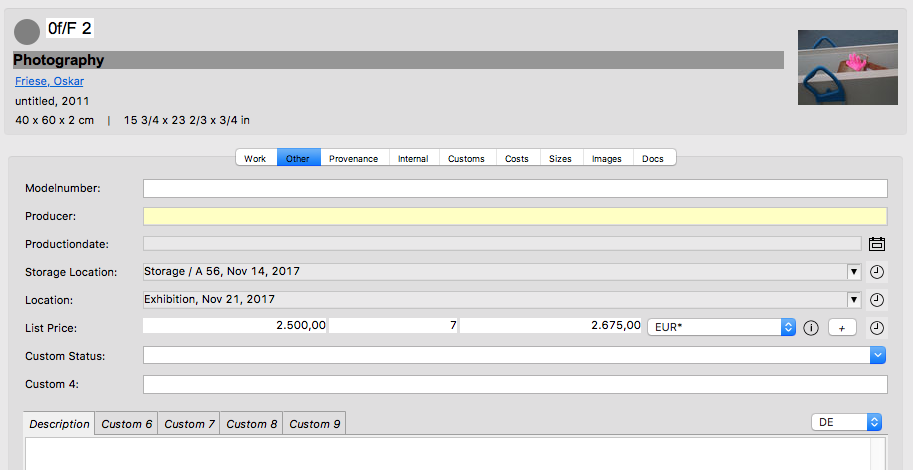
Storage location and Location are saved in history. You may open the history by double-clicking the clock symbol behind the work data entry. This will allow you to keep track of a work’s whereabouts years later. To export a work’s former locations, we have designed an appropriate template in the export template directory.
Manage Location and Storage Location
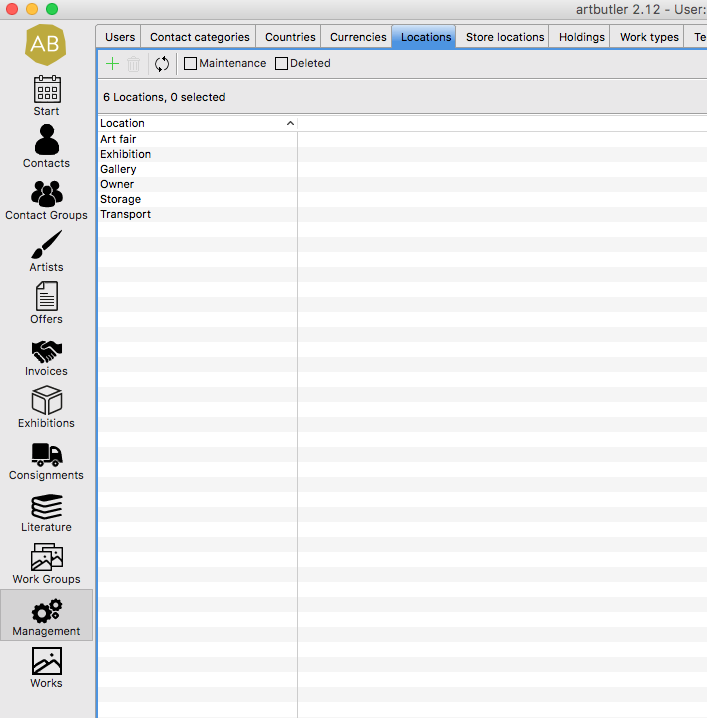
To select locations and storage spaces, determine all relevant locations in Management > Locations / Store locations The list displayed in the image gives a few examples. Double-click to edit an entry. Create new entries using the green plus sign, and remove irrelevant entries with the red delete button.
Application Example
The image shows an example for storage space and location: the art work last changed Storage location on Nov 14 in 2017 to the Storage / A56. To view more information on the exact storage space, click the clock behind the storage space and find out in which box or palette the work was last deposited.